(Unofficial) D2 4.2 Developer Edition

As a continuation from the (Unofficial) D7.1 Developer Edition, now let’s install D2 (hopefully 3rd part will be installing xCP 2.1, when EMC publishes it)

As I did with the first part, I’ve used Ingo Zitzmann’s (Unofficial) D2 Developer Edition *Draft* as reference to this guide.

Also, before installing, you may want to check the following threads:

D2 causing ClassCastException in Logger class in JMS
Error during executing D2LifecycleChangeStateMethod

Environment

Required software

  • emc-dfs-sdk-7.1.tar.gz
  • D2_Premium_4.2.0.zip

D2 Installation

Installation

  • Stop Tomcat, JMS, Content Server and docbroker
  • Unzip DFS package
[dmadmin@vm-dctm71 D2]$ tar xzvf emc-dfs-sdk-7.1.tar.gz</p>
  • Move DFS SDK to $DOCUMENTUM
[dmadmin@vm-dctm71 D2]$ mv emc-dfs-sdk-7.1 $DOCUMENTUM
  • Modify dfc.properties to use the existing content server dfc.properties file
[dmadmin@vm-dctm71 D2]$ vi /opt/documentum/emc-dfs-sdk-7.1/etc/dfc.properties
#include /opt/documentum/config/dfc.properties
  • Unzip sample app (just to have something to check D2 it’s working)
[dmadmin@vm-dctm71 D2]$ unzip HR\ Config\ D2\ 4.2\ -\ Export-Config.zip -d HRConfig
  • Unzip D2 installer
[dmadmin@vm-dctm71 D2]$ unzip D2_Premium_4.2.0.zip
  • And let’s install D2
[dmadmin@vm-dctm71 D2_Premium_4.2.0]$ /opt/documentum/java64/1.7.0_17/bin/java -jar D2-Installer-4.2.0.jar

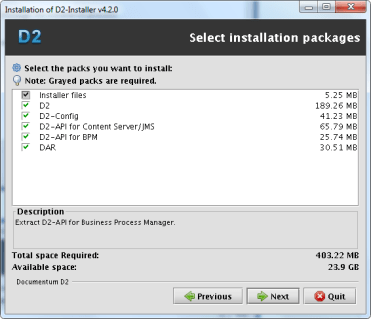
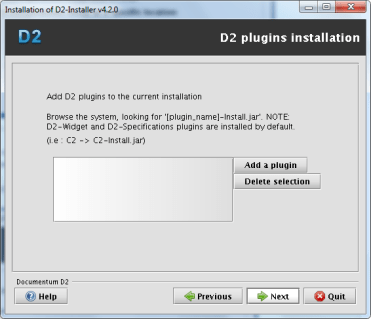
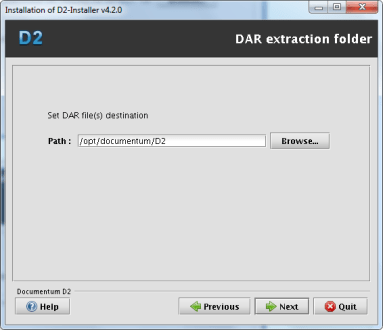
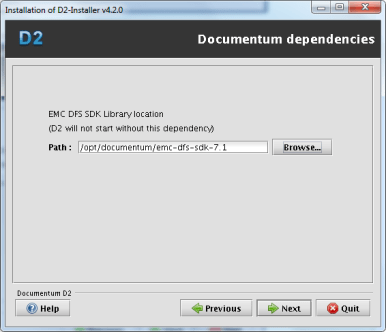
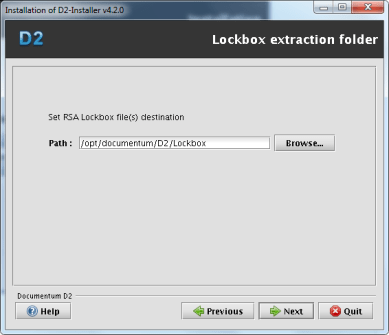
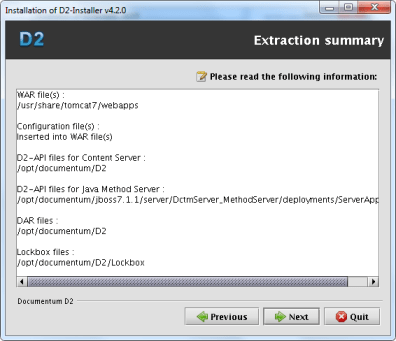
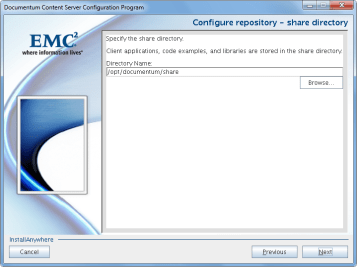
image1.png

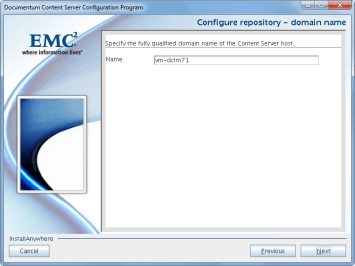
image2.png

Although the screenshot shows I selected BPM module, I deleted it afterwards (waiting for xCP 2.1…) so I won’t be configuring that module
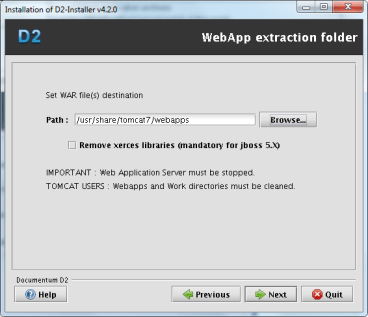
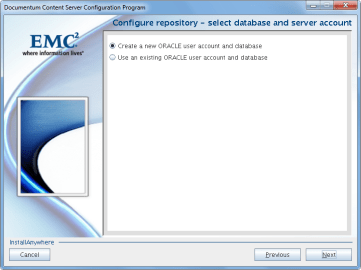
image3.png

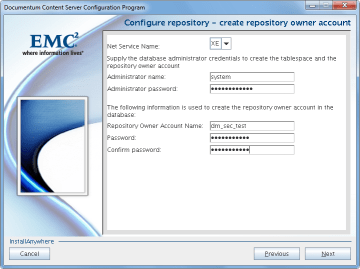
image4.png

image5.png

image6.png

It seems they’ve fixed the JMS paths in this installer…
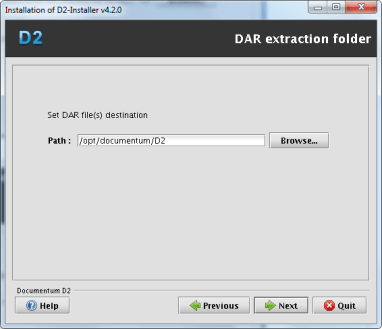
image7.png

image7.png

image8.png

image9.png

image10.png

PostInstall Configuration

  • Change windows paths in dfc.properties (they haven’t fixed this one):
vi /usr/share/tomcat7/webapps/D2/WEB-INF/classes/dfc.properties
   #include /opt/documentum/config/dfc.properties

Update the following log configuration files removing the windows paths (this one hasn’t been fixed either):

[dmadmin@vm-dctm71 classes]$ vi /usr/share/tomcat7/webapps/D2/WEB-INF/classes/logback.xml
  <file>/usr/share/tomcat7/logs/D2.log</file>
  <fileNamePattern>/usr/share/tomcat7/logs/D2-%d{yyyy-MM-dd}.log.zip</fileNamePattern>
[dmadmin@vm-dctm71 classes]$ vi /usr/share/tomcat7/webapps/D2-Config/WEB-INF/classes/logback.xml
   <file>/usr/share/tomcat7/logs/D2-Config.log</file>
   <fileNamePattern>/usr/share/tomcat7/logs/D2-Config-%d{yyyy-MM-dd}.log.zip</fileNamePattern>
      • Set environment variables:
D2=$DOCUMENTUM/D2
export D2
D2_LOCKBOX=$D2/Lockbox
export D2_LOCKBOX
CLASSPATH=$D2/D2.jar:$D2/LB.jar:$D2/LBJNI.jar
export CLASSPATH
LD_LIBRARY_PATH=$ORACLE_HOME/lib32:$DM_HOME/bin:$DM_HOME/bin/FIPS:/lib:$DOCUMENTUM/java64/1.7.0_17/jre/lib/amd64/server:$D2_LOCKBOX/linux_gcc34_x64
export LD_LIBRARY_PATH
PATH=$ORACLE_HOME/bin:$DM_HOME/bin:$D2_LOCKBOX/linux_gcc64_ia64:$PATH
export PATH
  • Create lockbox file:
[dmadmin@vm-dctm71 D2]$ java com.emc.common.java.crypto.SetLockboxProperty $D2 D2Method.passphrase D0c.umentum
   JVM : 1.7.0_17 (64bits)</p>
   '/opt/documentum/D2/D2.lockbox' file created
   'D2Method.passphrase' property created
  • Copy D2.lockbox to the JMS:
[dmadmin@vm-dctm71 D2]$ cp D2.lockbox /opt/documentum/jboss7.1.1/server/DctmServer_MethodServer/deployments/ServerApps.ear/APP-INF/classes/
  • Create the following path:
[dmadmin@vm-dctm71 D2]$ mkdir -p /opt/documentum/jboss7.1.1/modules/emc/d2/lockbox/main</p>
  • Copy LB.jar y LBJNI.jar to that folder:
[dmadmin@vm-dctm71 D2]$ cp LB* /opt/documentum/jboss7.1.1/modules/emc/d2/lockbox/main/
  • Create a module.xml file with the following content:
[dmadmin@vm-dctm71 D2]$ vi /opt/documentum/jboss7.1.1/modules/emc/d2/lockbox/main/module.xml
  <module xmlns="urn:jboss:module:1.1" name="emc.d2.lockbox">
  <resources>
     <resource-root path="LB.jar" />
     <resource-root path="LBJNI.jar" />
  </resources>
  </module>
  • Edit jboss-deployment-structure.xml and add the following section inside the deployments node:
[dmadmin@vm-dctm71 D2]$ vi /opt/documentum/jboss7.1.1//server/DctmServer_MethodServer/deployments/ServerApps.ear/META-INF/jboss-deployment-structure.xml
        <dependencies>
                <module name="emc.d2.lockbox"/>
        </dependencies>
  • Start docbroker, Content, JMS and (hopefully) everything should start fine (check JMS’ log as we’ve been messing with its configuration and anything out of place will cause it to fail)

Dar Installation

Install the following DARs:

  • D2-DAR.dar
[dmadmin@vm-dctm71 D2]$ java -Ddar=$D2/D2-DAR.dar -Dlogpath=$D2/D2-DAR.log -Ddocbase=dm_sec_test -Duser=dmadmin -Ddomain= -Dpassword=dmadmin -cp $DM_HOME/install/composer/ComposerHeadless/startup.jar org.eclipse.core.launcher.Main -data $DM_HOME/install/composer/workspace -application org.eclipse.ant.core.antRunner -buildfile $DM_HOME/install/composer/deploy.xml
  • D2Widget-DAR.dar
[dmadmin@vm-dctm71 D2]$ java -Ddar=$D2/D2Widget-DAR.dar -Dlogpath=$D2/D2Widget-DAR.log -Ddocbase=dm_sec_test -Duser=dmadmin -Ddomain= -Dpassword=dmadmin -cp $DM_HOME/install/composer/ComposerHeadless/startup.jar org.eclipse.core.launcher.Main -data $DM_HOME/install/composer/workspace -application org.eclipse.ant.core.antRunner -buildfile $DM_HOME/install/composer/deploy.xml
  • Collaboration_Services.dar
[dmadmin@vm-dctm71 D2]$ java -Ddar=$D2/Collaboration_services.dar -Dlogpath=$D2/Collaboration_Services.log -Ddocbase=dm_sec_test -Duser=dmadmin -Ddomain= -Dpassword=dmadmin -cp $DM_HOME/install/composer/ComposerHeadless/startup.jar org.eclipse.core.launcher.Main -data $DM_HOME/install/composer/workspace -application org.eclipse.ant.core.antRunner -buildfile $DM_HOME/install/composer/deploy.xml

Now start tomcat and everthing should be working just fine

PS: “Ideal” setup should use a different tomcat for D2 and configure it following the “Best Practices” section from the D2 Installation Guide. However, as I’ve installed D2 in the same tomcat instance where I previously deployed DA, Webtop and the web services I didn’t want to mess with the configuration.

Adding non-supported LDAP to DA

When you have to connect Documentum with a non-supported LDAP, you usually forget about the configuration UI provided by DA as you have to do most of the work by IAPI/DQL.

However, if you want to add your LDAP to the list of supported servers, you can do so quite easily:

1. Create the necessary DirectoryType class with your custom ldap type (openldap in this case):

public enum DirectoryType{
  OPENLDAP("openldap"), SUN_ONE("netscape"), ACTIVE_DIRECTORY("microsoft"),
  ORACLE_INTERNET_DIRECTORY("oracle"), IBM_TIVOLI("ibm"), NOVELL("novell"),
  MICROSOFT_ADAM("microsoftadam");
//some other stuff you can check in com.documentum.ldap.DirectoryType from the dfLdapConfig.jar
}

2. ldapList component:

ldaplist_component.xml:

<pages>  
     <start>/custom/jsp/customldap/ldaplist.jsp</start>  
</pages>  
<nlsbundle>somepackage.LdapListNlsProp</nlsbundle>  

ldaplist.jsp:

<%@ taglib uri="/WEB-INF/tlds/customldap.tld" prefix="customldap" %>"  
...  
<customldap:customldapdirtypevalueformatter>  
<dmf:label datafield='<%=LdapList.DIR_TYPE_ATTR%>'/>  
</customldap:customldapdirtypevalueformatter>

customldap.tld:

<taglib>  
     <tlibversion>1.0</tlibversion>  
     <jspversion>1.1</jspversion>  
     <shortname>customldap</shortname>  
     <tag>  
          <name>customldapdirtypevalueformatter</name>  
          <tagclass>somepackage.CustomLdapDirTypeValueFormatterTag</tagclass>  
          <bodycontent>jsp</bodycontent>  
          <attribute>  
               <name>name</name>  
               <required>false</required>  
          </attribute>  
     </tag>  
</taglib>

Formatter:

public String format(String strValue){  
     String strDirType = getForm().getString("MSG_UNKNOWN_DIR_TYPE");  
     if ((strValue != null) && (strValue.length() != 0)) {  
          if (strValue.equals("netscape")) {strDirType = getForm().getString("MSG_NETSCAPE");  
          } else if (strValue.equals("microsoft")) {strDirType = getForm().getString("MSG_MICROSOFT");  
          } else if (strValue.equals("oracle")) {strDirType = getForm().getString("MSG_ORACLE");  
          } else if (strValue.equals("microsoftadam")) {strDirType = getForm().getString("MSG_MICROSOFT_ADAM");  
          } else if (strValue.equals("ibm")) {strDirType = getForm().getString("MSG_IBM");  
          } else if (strValue.equals("novell")) {strDirType = getForm().getString("MSG_NOVELL");  
          } else if (strValue.equals("openldap")){strDirType = getForm().getString("MSG_OPENLDAP");  
        }  
     }  
return strDirType;  
}  

3. ldapInfo component

ldapInfo_component.xml:

    <pages>  
         <start>/custom/jsp/customldap/ldapinfo.jsp</start>  
    </pages>      
    <nlsbundle>somepackage.LdapInfoNlsProp</nlsbundle>  

LdapInfo.class:

    public class LdapInfo extends com.documentum.webcomponent.admin.ldap.LdapInfo {  
        public static final String LDAP_DIR_VALUE_OPENLDAP = "openldap";  
    }  

ldapinfo.jsp:

<%@ page import="somepackage.LdapInfo" %>  
    ...  
<dmf:option value='<%=LdapInfo.LDAP_DIR_VALUE_OPENLDAP%>' nlsid='MSG_OPENLDAP'/>  

4. Final result:

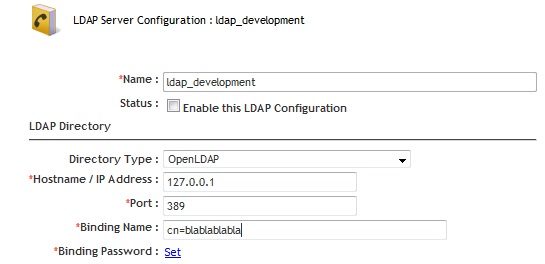
ldap1

ldap2

Consuming RestFul services with GSON

If you want to consume the RestFul services you can check Wei Zhou’s posts in the documents section of the documentum developer network (Documentum) or check EMC RestFul Services — Clients JAVA by astone to see an example of how to consume the JSON directly from JAVA.

However, while developing the Android app I found that it was way easier to go the old Java-objects way, and you can do this by using GSON (or any other similar library).

First, you’ll need to create the POJOs/Beans for the classes; as we don’t have those (thanks EMC…) you’ll have to code them by yourself from the JSON responses (or use something like http://www.jsonschema2pojo.org/ to autogenerate them).

Once you have those (and the Gson libraries in your project) it is quite straightforward:

Reading a JSON response as an object:

DefaultHttpClient httpClient = new DefaultHttpClient();  
      
//documentum user and password  
String authorizationString = "Basic " + Base64.encodeToString((strUser + ":" + strPass).getBytes(), Base64.NO_WRAP);  
      
//request the page, here we get the main repository page  
HttpGet getRequest = new HttpGet(currentServer +"/repositories");  
//don't forget the credentials  
getRequest.setHeader("Authorization", authorizationString);  
//get the response  
HttpResponse getResponse = httpClient.execute(getRequest);  
HttpEntity getResponseEntity = getResponse.getEntity();  
Reader reader = new InputStreamReader(getResponseEntity.getContent());  
      
//use gson to get the object  
Gson gson=new Gson();  
RepositoryList repoList = (RepositoryList)gson.fromJson(reader, RepositoryList.class);  

Modify some property by sending a POST request:

DefaultHttpClient httpClient = new DefaultHttpClient();  
  
//documentum user and password  
String authorizationString = "Basic " + Base64.encodeToString((strUser + ":" + strPass).getBytes(), Base64.NO_WRAP);  
  
//setting up the POST request  
HttpPost postRequest = new HttpPost(currentServer+"/repositories/"+currentRepo+"/objects/"+strId);  
//don't forget the credentials  
postRequest.setHeader("Authorization",authorizationString);  
  
//Create the object with the property you want to modify  
RepositoryObject ro=new RepositoryObject();  
Attribute props=new Attribute();  
  
props.setSubject("new Subject");  
ro.setProperties(props);  
  
//set the header to the POST request  
postRequest.setHeader("Content-Type", "application/vnd.emc.documentum+json; charset=utf-8");  
//convert the object to json using gson  
Gson gson=new Gson();  
postRequest.setEntity(new StringEntity(gson.toJson(ro)));  
  
//do the POST  
HttpResponse postResponse = httpClient.execute(postRequest);

Note: As you can see, I’m not using service discovery although that would be the right way to do it, however, this was faster and it works as a how-to

Customizing/Extending REST services

In another post (Android app using REST services (II)) I said that by default the REST services only allow to run read queries on the repository. This is obviously a setback when you want to do anything else than querying the repository. So, what can we do about this?

First thing that comes to mind is to decompile the classes and see what’s going on. Basically, there’s a “checker” class that checks if the DQL should be executed or not. You can decompile, modify and replace this class to be able to run write queries on the repository.

However, there’s a cleaner (and I guess not so illegal) way to do this:

Create a new class named com.emc.documentum.rest.utils.DQLChecker containing the following:

package com.emc.documentum.rest.utils;

public class DQLChecker {
  public static boolean isSafeQuery(String dql){
    //do your stuff to check whatever you want to check in the sql string
    return true; //or false if you don't want the query to be run
  }
}

Then put this class in webapps/dctm-rest/WEB-INF/classes/com/emc/documentum/rest/utils (or repackage the war file) and restart the server

What happens here is, whatever class you drop on WEB-INF/classes will take precedence over the same class present in any jar file in the lib folder.

PS: You can use this with any class in the REST services in case you want to modify some behaviour.


(Unofficial) D7.1 Developer Edition

This is a step-by-step guide to install D7.1 in a Linux environment with Oracle XE (while we wait for the official developer edition). I’ve used the great (Unofficial) D7 Developer Edition guide posted by Ingo Zitzmann as a reference, in fact, this is +90% the same, just with some different scripts (and OS/Documentum version).

Environment

  • Host:
    • Windows 7 x64 8GB RAM
    • VMWare Player 6.0.1
  • Guest:
    • CentOS 6.5 x64 40GB HD 4GB RAM
    • Oracle XE 11.0.2 / InstantClient 11.0.3 (not officially supported)
    • Documentum 7.1
    • Tomcat 7.0.42
    • /mnt/hgfs/cs7.1 as a shared folder with host machine

VM Creation

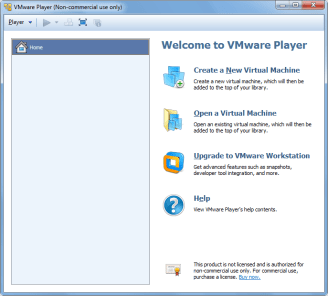
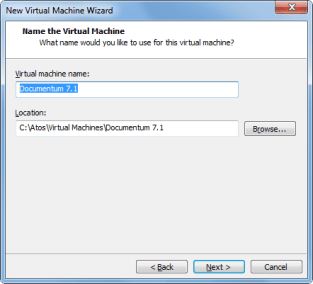
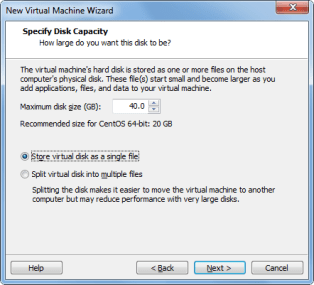
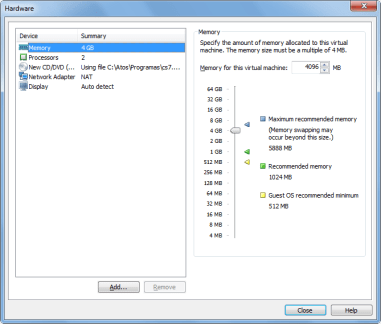
This is quite straightforward, pictures are self explanatory

image1.pngimage2.pngimage3.pngimage4.pngimage5.pngimage6.pngimage7.png


From here, just follow the Linux Easy Install wizard. In this case, I created an user named “dmadmin”. When the OS boots for the first time, login in to check the user works and disable the firewall (System -> Administration -> Firewall)

OS Configuration

  • Let’s add dmadmin to the sudoer list
[admin@dev-vm ~]# su
Password: <admin pwd>
[root@dev-vm ~]# visudo
## Next comes the main part: which users can run what software on
## which machines (the sudoers file can be shared between multiple
## systems).
## Syntax:
##
## user MACHINE=COMMANDS
##
## The COMMANDS section may have other options added to it.
##
## Allow root to run any commands anywhere
root ALL=(ALL) ALL
dmadmin ALL=(ALL) ALL
  • Now we are going to change the vm’s name to vm-dctm71
[dmadmin@localhost ~]$ sudo vi /etc/hosts
192.168.161.128 vm-dctm71
[dmadmin@localhost ~]$ sudo vi /etc/sysconfig/network
NETWORKING=yes
#HOSTNAME=localhost.localdomain
HOSTNAME=vm-dctm71

Oracle XE setup

  • Install needed libs (just in case)
[dmadmin@vm-dctm71]# sudo yum install libaio bc
  • Run installer:
[dmadmin@vm-dctm71 Disk1]# sudo rpm -ivh oracle-xe-11.2.0-1.0.x86_64.rpm
[dmadmin@vm-dctm71 Disk1]# sudo /etc/init.d/oracle-xe configure
8008 #Defaults to 8080, change it to avoid conflicts with Tomcat
1521 #Default Oracle port
<password> #SYSTEM user password, usual restrictions apply
y  #Start when booting
  • Allow remote access to the database:
[root@vm-dctm71 admin]# . /u01/app/oracle/product/11.2.0/xe/bin/oracle_env.sh
[root@vm-dctm71 admin]# /u01/app/oracle/product/11.2.0/xe/bin/sqlplus system
EXEC DBMS_XDB.SETLISTENERLOCALACCESS(FALSE);
quit:

Oracle client setup

  • Install/update required 32bits libs:
[dmadmin@vm-dctm71~]# sudo yum install libXp.x86_64
[dmadmin@vm-dctm71~]# sudo yum update libXi.x86_64 libXtst.x86_64 libXt.x86_64
[dmadmin@vm-dctm71~]# sudo yum install libXp.i686 libXi.i686 libXtst.i686 libXt.i686
[dmadmin@vm-dctm71~]# sudo yum update glibc.x86_64 libgcc.x86_64 libstdc++.x86_64 libaio.x86_64
[dmadmin@vm-dctm71~]# sudo yum install glibc.i686 libgcc.i686 libstdc++.i686 libaio.i686
  • Make a new folder for the client’s libs
[dmadmin@vm-dctm71~]# cd /u01/app/oracle/product/11.2.0/xe/
[dmadmin@vm-dctm71 xe]# sudo mkdir lib32
[dmadmin@vm-dctm71 xe]# sudo chown oracle.dba lib32
  • Copy the client libs from the host to the new folder and create the symlinks
[dmadmin@vm-dctm71 xe]# sudo cp /mnt/hgfs/cs7.1/instantclient-basic-linux-11.2.0.3.0/instantclient_11_2/lib* lib32/
[dmadmin@vm-dctm71 xe]# cd lib32
[dmadmin@vm-dctm71 lib32]# sudo ln -s libclntsh.so.11.1 libclntsh.so
[dmadmin@vm-dctm71 lib32]# sudo ln -s libocci.so.11.1 libocci.so
[dmadmin@vm-dctm71 lib32]# sudo chown -h oracle.dba *
[dmadmin@vm-dctm71 lib32]# sudo chown -h oracle.dba libclntsh.so
[dmadmin@vm-dctm71 lib32]# sudo chown -h oracle.dba libocci.so

Content Server 7.1

Preinstall tasks

  • Reserve repository ports
[dmadmin@vm-dctm71~]# sudo vi /etc/services
# dctm services
dm_sec_test 47625/tcp # 7.1 Repository native connection
dm_sec_test_s 47626/tcp # 7.1 Repository secure connection
  • Make a new folder for Documentum
[dmadmin@vm-dctm71~]# sudo mkdir /opt/documentum;sudo chown dmadmin.dmadmin /opt/documentum
  • Update user profile script adding the environment variables required by the installation
[dmadmin@vm-dctm71 ~]$ vi .bash_profile
DOCUMENTUM=/opt/documentum
export DOCUMENTUM
DM_HOME=$DOCUMENTUM/product/7.1
export DM_HOME
ORACLE_HOME=/u01/app/oracle/product/11.2.0/xe
export ORACLE_HOME
ORACLE_SID=XE
export ORACLE_SID
NLS_LANG='$ORACLE_HOME/bin/nls_lang.sh' #be aware of the « special » quotes here
export NLS_LANG
PATH=$ORACLE_HOME/bin:$DM_HOME/bin:$PATH
export PATH
LC_ALL=C
export LC_ALL
LD_LIBRARY_PATH=$LD_LIBRARY_PATH:$ORACLE_HOME/lib32
export LD_LIBRARY_PATH
  • Make a new folder for the installers, and change the permissions
[dmadmin@vm-dctm71 documentum]$ mkdir installers
[dmadmin@vm-dctm71 installers]$ cp /mnt/hgfs/cs7.1/Content_Server_7.1_linux64_oracle/* .
[dmadmin@vm-dctm71 installers]$ chmod 777 *
[dmadmin@vm-dctm71 installers]$ chmod +x serverSetup.bin
  • I’m going to use putty so I’ll need a xserver in windows (xming/cygwin xwin) and the libs in the guest OS, I’ll just install xclock to get those and check everything is working
[dmadmin@vm-dctm71 installers]$ sudo yum install xclock
[dmadmin@vm-dctm71 installers]$ export DISPLAY=172.24.28.12:0.0

Although xclock worked fine, I couldn’t input any text in the Content Server installer when using Xming. As I was in a bit of a hurry, I simply used cygwin’s xwin and everything was fine

Content Server installation

  • Let’s go!!
[dmadmin@vm-dctm71 installers]$ ./serverSetup.bin

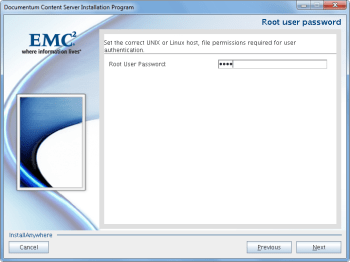
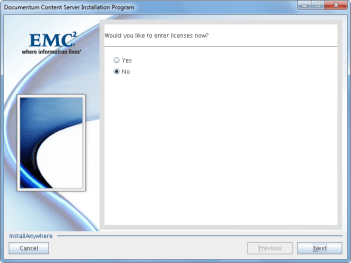
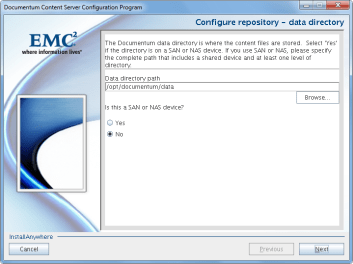
Pictures self explanatory as usual

image10.pngimage11.pngimage12.pngimage14.pngimage15.pngimage16.pngimage17.pngimage18.pngimage19.pngimage20.pngimage21.pngimage22.pngimage23.pngimage24.png

Tomcat 7

  • Copy Tomcat to the guest, unzip and move to destination folder
[dmadmin@vm-dctm71 tmp]$ cp /mnt/hgfs/cs7.1/apache-tomcat-7.0.42.tar.gz .
[dmadmin@vm-dctm71 tmp]$ tar xzvf apache-tomcat-7.0.42.tar.gz
[dmadmin@vm-dctm71 tmp]$ sudo mv apache-tomcat-7.0.42 /usr/share/
[dmadmin@vm-dctm71 tmp]$ sudo chown dmadmin.dmadmin -R /usr/share/apache-tomcat-7.0.42/
  • Create a symlink for ease of access
[dmadmin@vm-dctm71 tmp]$ sudo ln -s /usr/share/apache-tomcat-7.0.42 /usr/share/tomcat7
[dmadmin@vm-dctm71 tmp]$ sudo chown -h dmadmin.dmadmin /usr/share/tomcat7
  • Configure Java version to be used by Tomcat (we’ll be reusing Documentum bundled Java)
[dmadmin@vm-dctm71 tmp]$ vi /usr/share/tomcat7/bin/setenv.sh
#!/bin/sh
JAVA_HOME=/opt/documentum/java64/1.7.0_17/
JAVA_OPTS="-server -Xms256m -Xmx512m -XX:MaxPermSize=256m"
  • Check tomcat runs fine
[dmadmin@vm-dctm71 ~]$ /usr/share/tomcat7/bin/startup.sh

DA 7.1

  • Let’s update catalina.properties
[dmadmin@vm-dctm71 ~]$ vi /usr/share/tomcat7/conf/catalina.properties
### Req'd by Documentum Webtop/DA ###
org.apache.jasper.compiler.Parser.STRICT_WHITESPACE=false
  • Now context.xml
[dmadmin@vm-dctm71 ~]$ vi /usr/share/tomcat7/conf/context.xml
<Context useHttpOnly="false">
  • And finally web.xml
[dmadmin@vm-dctm71 ~]$ vi /usr/share/tomcat7/conf/web.xml
<init-param>
<param-name>enablePooling</param-name>
<param-value>false</param-value>
</init-param>
  • Now we’ll copy da.war to the guest
[dmadmin@vm-dctm71 tmp]$ cp /mnt/hgfs/cs7.1/da.war .
  • Extract dfc.properties from da.war
[dmadmin@vm-dctm71 tmp]$ unzip da.war WEB-INF/classes/dfc.properties
  • Update dfc.properties with the path to the content’s dfc.properties
[dmadmin@vm-dctm71 tmp]$ vi WEB-INF/classes/dfc.properties
#include /opt/documentum/config/dfc.properties
  • Update dfc.properties in the da.war file
[dmadmin@vm-dctm71 tmp]$ /opt/documentum/java64/1.7.0_17/bin/jar uf da.war WEB-INF/classes/dfc.properties
  • Move da.war to the webapps folder
[dmadmin@vm-dctm71 tmp]$ mv da.war /usr/share/tomcat7/webapps/da.war

And there you go!! Enjoy a D7.1 working environment

Android app using REST services (II)

Some more info on this:

  • Environment:
    • Documentum 6.6P27/SQLServer
    • REST Services 7.0
  • App Development info:
    • App developed with AndroidStudio
    • Compatible with Android 4.x

Some tips/thoughts:

  • Stick to eclipse + android SDK instead of using AndroidStudio (unless until AndroidStudio is mature enough). You’ll save time and problems.
  • Programming in Android is a pain in the ass with so many different devices/versions. Apple and xCode wins there.
  • Mobile emulators requiere a huge amount of resources. Either find a test mobile phone or get a good development computer with at least 8gb RAM. I think the iPhone emulator runs better in iMacs than the android emulator in PC
  • The REST Services package doesn’t come with a POJO/BEAN implementation, so if you plan to use Java you’ll have to code those classes from scratch (boring) to parse the responses (maybe there’s a better/automatic way to do it)
  • The query service (used as a workaround to get the job info, as there is no job service) doesn’t allow write queries, so forget about updating objects/executing jobs on demand (unless you want to decompile some class and change some “startsWith(“select “)” to something else)
  • The REST services are quite fast, much much faster than DFS, consider this if you need to develop something new.

App updates:

  • Uses SQLite to store preferences
  • Remembers connection details
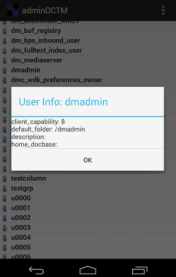
  • Added user list
  • You can choose what job / user attributes want to show in the details window

Screenshots

  • Login:

0101b02.png

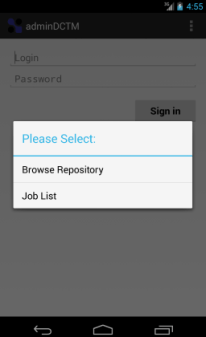
  • Job options:

03.png

  • User options:

04.png

  • Job details:

05.png

  • User details:

06.png

TODO:

  • Modify user properties
  • Show/update document properties


Android app using REST services

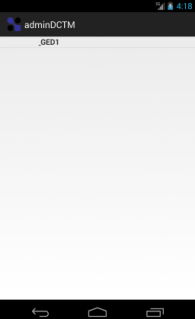
I’ve been learning Android development by developing an App using DCTM Rest services to expose as much functionality as possible from DA. Currently I have a working repository browser and job list/details app, that works via VPN (enabled in the phone by a 3rd app). This is just an example of what can be done with the Rest API released by EMC:

  • Login window:

001.png

  • Browser / Job choice:

002.png

  • Browser (Repository/cabinets/folders):

003.png004.png005.png

  • Open file:

006.png

  • Job list:

007.png

  • Job detail:

008.png

  • TODO:
    • Format Job details window
    • Use sqlite to store preferences/connection url
    • Cleanup code
    • Test new features:
      • User management
      • Job execution
      • Additional configurations


2014 predictions

I always wanted to do a year predictions, so here we go with my (most likely wrong) predictions:

  • 2014 will be the year of Big Data and the Cloud. By the end of 2014 everyone will be sure that 2015 will be the year of Big Data and the Cloud.
  • At least one big cloud provider will make the news for some epic fail (interruption of service, data loss, data theft or something similar…) that will seriously hit the credibility of cloud providers (for at least a week)
  • PanfilovAB will found more vulnerabilites in Documentum (if EMC releases a major version of the Documentum family, the number of bugs found increased, as he will check if the old bugs he discovered are still present… and of course those will be there).
  • 2014 will be the year of D2 and xCP 2.x. By the end of 2014 most people will be thinking that D2 is going to be as successful as CenterStage and that xCP2 is as bad as xCP1 but “nicer”
  • EMC will release a mobile app for the community. Only for iOS. Android version “coming soon”.
  • Java will lose market share to .NET/Silverlight/Adobe Flash. Oracle will release either Java 7u680 or Java 25 before the end of the year, breaking every single applet/program made with earlier versions in the way. Hopefully Oracle will also bury Oracle UCM deep in the ground.
  • Apple will release iOS 8, forcing every app to be iOS 8 compliant. They’ll release the iPhone 5 in colors you don’t even know existed.
  • Microsoft will release another SP for windows 8 that will bring back the menu bar/start menu. Windows 9 will be announced with a return to windows 3.1 window’s style as main feature.
  • Real Madrid will won the champions league and Spain will lose the world basketball championship against the USA


EMC Proven Professional Certifications (Documentum) – Update

A few thoughts on the certification framework, once I taken most of the tests:

  • E10-110 (Foundation): New 110 brings D7 stuff and it seems it has a higher correct answer % requirement. It’s harder than the old e20-120, unless you’ve gone through install/migration of the D7 stuff and D2.
  • E20-495 (xCP): I don’t understand why this tests only covers xCP 2 and the 110 covers both xCP 1.5 and 2. One of the thoughest test due to the range of products that are included the stack.
  • E20-465 (Administration): Read the administration guide. Easy even with the D7 stuff included in the last revision
  • E20-405 (DFC): If you’re done some DFC coding and read the DFC development guide (the are questions that are a copy/paste from the guide or viceversa). Could use a little update.
  • E20-455 (WDK): Pretty much the same as DFC test, reading the WDK guide you should be good to go.
  • E20-475 (System Architecture): No documentation available for this test. Read every single manual, have a very clear idea of the goal of each product and take a look to the HW stuff EMC sells (clariion, symmetrix, celerra, etc) if you’re not familiar with it. If you have done some kind of administration work, it will be easier. Having passed this test, I think some questions belong to the Application Architecture test and not to this one. It needs an update (and probably be merged with the 485)
  • E20-485 (Application Architecture): No documentation availble. Pretty much use case scenarios to select the best solution (from the available choices). Similar to 475.

To sum up, 405, 455, 465 can be passed without even studying, 110 and 465 require at least some degree of preparation, and 475-485 are the one that need more reading (and even with that, you’ll probably come across some WTF questions on the test)


Firefox 24 and future versions will block every Java object by default

As stated here: 914690 – In Firefox 24 and following, mark all versions of Java as unsafe every java version is going to be marked as unsafe by default, meaning you’ll have to manually enable/allow every time you use any java object (If you’re on Firefox beta channel you should realized by now that something was “wrong” when using webtop/ucf transfer with the latest versions: You have to manually allow actions like selecting a file to check-in or every UCF operation)

You probably know by now what this means to Webtop… oh God, when I though I couldn’t hate more UCF, now this… Am I the only one that *loves* having to deal with end-users/customers that take for granted that this Java-Browser compatibilities are a “Documentum problem”…

PS: go HTTP transfer mode!