Consuming RestFul services with GSON

If you want to consume the RestFul services you can check Wei Zhou’s posts in the documents section of the documentum developer network (Documentum) or check EMC RestFul Services — Clients JAVA by astone to see an example of how to consume the JSON directly from JAVA.

However, while developing the Android app I found that it was way easier to go the old Java-objects way, and you can do this by using GSON (or any other similar library).

First, you’ll need to create the POJOs/Beans for the classes; as we don’t have those (thanks EMC…) you’ll have to code them by yourself from the JSON responses (or use something like http://www.jsonschema2pojo.org/ to autogenerate them).

Once you have those (and the Gson libraries in your project) it is quite straightforward:

Reading a JSON response as an object:

DefaultHttpClient httpClient = new DefaultHttpClient();  
      
//documentum user and password  
String authorizationString = "Basic " + Base64.encodeToString((strUser + ":" + strPass).getBytes(), Base64.NO_WRAP);  
      
//request the page, here we get the main repository page  
HttpGet getRequest = new HttpGet(currentServer +"/repositories");  
//don't forget the credentials  
getRequest.setHeader("Authorization", authorizationString);  
//get the response  
HttpResponse getResponse = httpClient.execute(getRequest);  
HttpEntity getResponseEntity = getResponse.getEntity();  
Reader reader = new InputStreamReader(getResponseEntity.getContent());  
      
//use gson to get the object  
Gson gson=new Gson();  
RepositoryList repoList = (RepositoryList)gson.fromJson(reader, RepositoryList.class);  

Modify some property by sending a POST request:

DefaultHttpClient httpClient = new DefaultHttpClient();  
  
//documentum user and password  
String authorizationString = "Basic " + Base64.encodeToString((strUser + ":" + strPass).getBytes(), Base64.NO_WRAP);  
  
//setting up the POST request  
HttpPost postRequest = new HttpPost(currentServer+"/repositories/"+currentRepo+"/objects/"+strId);  
//don't forget the credentials  
postRequest.setHeader("Authorization",authorizationString);  
  
//Create the object with the property you want to modify  
RepositoryObject ro=new RepositoryObject();  
Attribute props=new Attribute();  
  
props.setSubject("new Subject");  
ro.setProperties(props);  
  
//set the header to the POST request  
postRequest.setHeader("Content-Type", "application/vnd.emc.documentum+json; charset=utf-8");  
//convert the object to json using gson  
Gson gson=new Gson();  
postRequest.setEntity(new StringEntity(gson.toJson(ro)));  
  
//do the POST  
HttpResponse postResponse = httpClient.execute(postRequest);

Note: As you can see, I’m not using service discovery although that would be the right way to do it, however, this was faster and it works as a how-to

Customizing/Extending REST services

In another post (Android app using REST services (II)) I said that by default the REST services only allow to run read queries on the repository. This is obviously a setback when you want to do anything else than querying the repository. So, what can we do about this?

First thing that comes to mind is to decompile the classes and see what’s going on. Basically, there’s a “checker” class that checks if the DQL should be executed or not. You can decompile, modify and replace this class to be able to run write queries on the repository.

However, there’s a cleaner (and I guess not so illegal) way to do this:

Create a new class named com.emc.documentum.rest.utils.DQLChecker containing the following:

package com.emc.documentum.rest.utils;

public class DQLChecker {
  public static boolean isSafeQuery(String dql){
    //do your stuff to check whatever you want to check in the sql string
    return true; //or false if you don't want the query to be run
  }
}

Then put this class in webapps/dctm-rest/WEB-INF/classes/com/emc/documentum/rest/utils (or repackage the war file) and restart the server

What happens here is, whatever class you drop on WEB-INF/classes will take precedence over the same class present in any jar file in the lib folder.

PS: You can use this with any class in the REST services in case you want to modify some behaviour.


(Unofficial) D7.1 Developer Edition

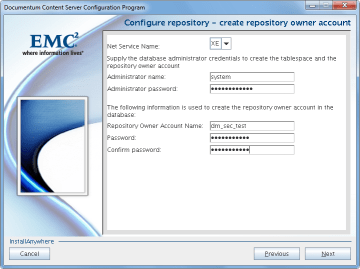
This is a step-by-step guide to install D7.1 in a Linux environment with Oracle XE (while we wait for the official developer edition). I’ve used the great (Unofficial) D7 Developer Edition guide posted by Ingo Zitzmann as a reference, in fact, this is +90% the same, just with some different scripts (and OS/Documentum version).

Environment

  • Host:
    • Windows 7 x64 8GB RAM
    • VMWare Player 6.0.1
  • Guest:
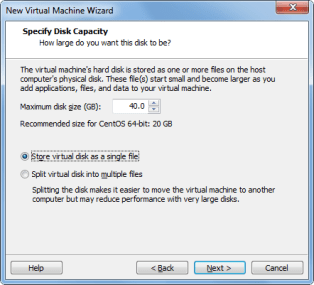
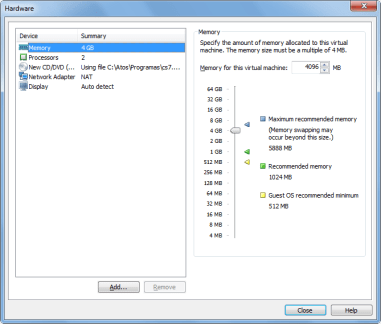
    • CentOS 6.5 x64 40GB HD 4GB RAM
    • Oracle XE 11.0.2 / InstantClient 11.0.3 (not officially supported)
    • Documentum 7.1
    • Tomcat 7.0.42
    • /mnt/hgfs/cs7.1 as a shared folder with host machine

VM Creation

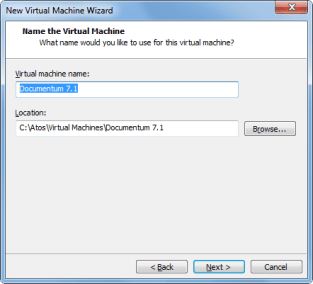
This is quite straightforward, pictures are self explanatory
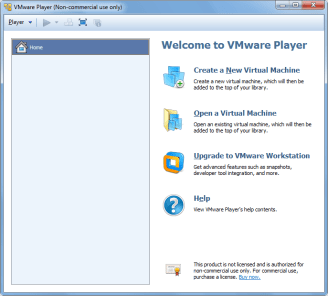
image1.pngimage2.pngimage3.pngimage4.pngimage5.pngimage6.pngimage7.png


From here, just follow the Linux Easy Install wizard. In this case, I created an user named “dmadmin”. When the OS boots for the first time, login in to check the user works and disable the firewall (System -> Administration -> Firewall)

OS Configuration

  • Let’s add dmadmin to the sudoer list
[admin@dev-vm ~]# su
Password: <admin pwd>
[root@dev-vm ~]# visudo
## Next comes the main part: which users can run what software on
## which machines (the sudoers file can be shared between multiple
## systems).
## Syntax:
##
## user MACHINE=COMMANDS
##
## The COMMANDS section may have other options added to it.
##
## Allow root to run any commands anywhere
root ALL=(ALL) ALL
dmadmin ALL=(ALL) ALL
  • Now we are going to change the vm’s name to vm-dctm71
[dmadmin@localhost ~]$ sudo vi /etc/hosts
192.168.161.128 vm-dctm71
[dmadmin@localhost ~]$ sudo vi /etc/sysconfig/network
NETWORKING=yes
#HOSTNAME=localhost.localdomain
HOSTNAME=vm-dctm71

Oracle XE setup

  • Install needed libs (just in case)
[dmadmin@vm-dctm71]# sudo yum install libaio bc
  • Run installer:
[dmadmin@vm-dctm71 Disk1]# sudo rpm -ivh oracle-xe-11.2.0-1.0.x86_64.rpm
[dmadmin@vm-dctm71 Disk1]# sudo /etc/init.d/oracle-xe configure
8008 #Defaults to 8080, change it to avoid conflicts with Tomcat
1521 #Default Oracle port
<password> #SYSTEM user password, usual restrictions apply
y  #Start when booting
  • Allow remote access to the database:
[root@vm-dctm71 admin]# . /u01/app/oracle/product/11.2.0/xe/bin/oracle_env.sh
[root@vm-dctm71 admin]# /u01/app/oracle/product/11.2.0/xe/bin/sqlplus system
EXEC DBMS_XDB.SETLISTENERLOCALACCESS(FALSE);
quit:

Oracle client setup

  • Install/update required 32bits libs:
[dmadmin@vm-dctm71~]# sudo yum install libXp.x86_64
[dmadmin@vm-dctm71~]# sudo yum update libXi.x86_64 libXtst.x86_64 libXt.x86_64
[dmadmin@vm-dctm71~]# sudo yum install libXp.i686 libXi.i686 libXtst.i686 libXt.i686
[dmadmin@vm-dctm71~]# sudo yum update glibc.x86_64 libgcc.x86_64 libstdc++.x86_64 libaio.x86_64
[dmadmin@vm-dctm71~]# sudo yum install glibc.i686 libgcc.i686 libstdc++.i686 libaio.i686
  • Make a new folder for the client’s libs
[dmadmin@vm-dctm71~]# cd /u01/app/oracle/product/11.2.0/xe/
[dmadmin@vm-dctm71 xe]# sudo mkdir lib32
[dmadmin@vm-dctm71 xe]# sudo chown oracle.dba lib32
  • Copy the client libs from the host to the new folder and create the symlinks
[dmadmin@vm-dctm71 xe]# sudo cp /mnt/hgfs/cs7.1/instantclient-basic-linux-11.2.0.3.0/instantclient_11_2/lib* lib32/
[dmadmin@vm-dctm71 xe]# cd lib32
[dmadmin@vm-dctm71 lib32]# sudo ln -s libclntsh.so.11.1 libclntsh.so
[dmadmin@vm-dctm71 lib32]# sudo ln -s libocci.so.11.1 libocci.so
[dmadmin@vm-dctm71 lib32]# sudo chown -h oracle.dba *
[dmadmin@vm-dctm71 lib32]# sudo chown -h oracle.dba libclntsh.so
[dmadmin@vm-dctm71 lib32]# sudo chown -h oracle.dba libocci.so

Content Server 7.1

Preinstall tasks

  • Reserve repository ports
[dmadmin@vm-dctm71~]# sudo vi /etc/services
# dctm services
dm_sec_test 47625/tcp # 7.1 Repository native connection
dm_sec_test_s 47626/tcp # 7.1 Repository secure connection
  • Make a new folder for Documentum
[dmadmin@vm-dctm71~]# sudo mkdir /opt/documentum;sudo chown dmadmin.dmadmin /opt/documentum
  • Update user profile script adding the environment variables required by the installation
[dmadmin@vm-dctm71 ~]$ vi .bash_profile
DOCUMENTUM=/opt/documentum
export DOCUMENTUM
DM_HOME=$DOCUMENTUM/product/7.1
export DM_HOME
ORACLE_HOME=/u01/app/oracle/product/11.2.0/xe
export ORACLE_HOME
ORACLE_SID=XE
export ORACLE_SID
NLS_LANG='$ORACLE_HOME/bin/nls_lang.sh' #be aware of the « special » quotes here
export NLS_LANG
PATH=$ORACLE_HOME/bin:$DM_HOME/bin:$PATH
export PATH
LC_ALL=C
export LC_ALL
LD_LIBRARY_PATH=$LD_LIBRARY_PATH:$ORACLE_HOME/lib32
export LD_LIBRARY_PATH
  • Make a new folder for the installers, and change the permissions
[dmadmin@vm-dctm71 documentum]$ mkdir installers
[dmadmin@vm-dctm71 installers]$ cp /mnt/hgfs/cs7.1/Content_Server_7.1_linux64_oracle/* .
[dmadmin@vm-dctm71 installers]$ chmod 777 *
[dmadmin@vm-dctm71 installers]$ chmod +x serverSetup.bin
  • I’m going to use putty so I’ll need a xserver in windows (xming/cygwin xwin) and the libs in the guest OS, I’ll just install xclock to get those and check everything is working
[dmadmin@vm-dctm71 installers]$ sudo yum install xclock
[dmadmin@vm-dctm71 installers]$ export DISPLAY=172.24.28.12:0.0

Although xclock worked fine, I couldn’t input any text in the Content Server installer when using Xming. As I was in a bit of a hurry, I simply used cygwin’s xwin and everything was fine

Content Server installation

  • Let’s go!!
[dmadmin@vm-dctm71 installers]$ ./serverSetup.bin

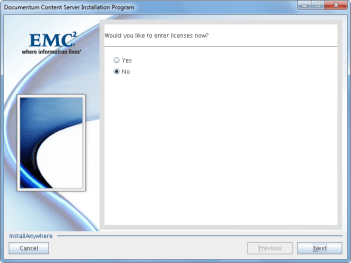
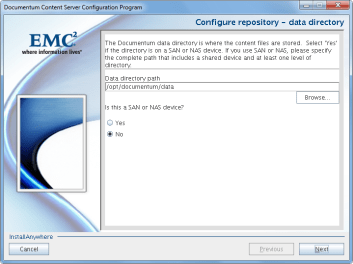
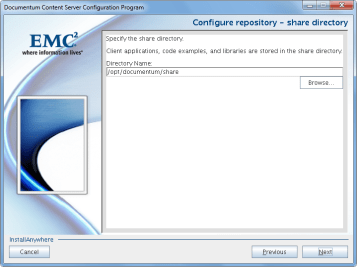
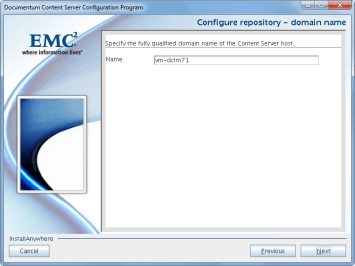
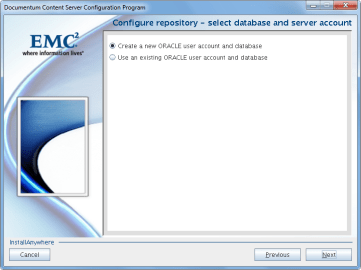
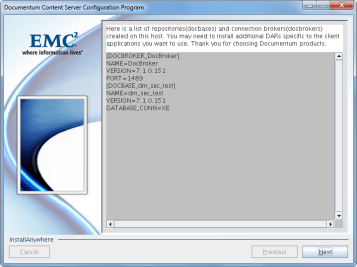
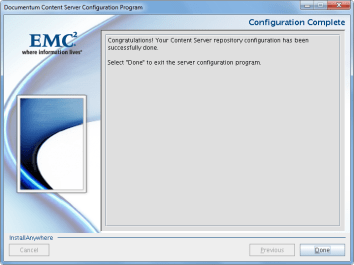
Pictures self explanatory as usual
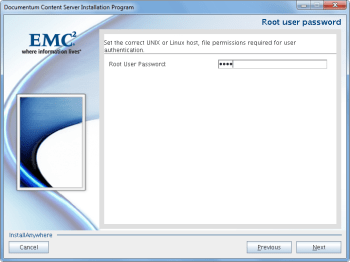
image10.pngimage11.pngimage12.pngimage14.pngimage15.pngimage16.pngimage17.pngimage18.pngimage19.pngimage20.pngimage21.pngimage22.pngimage23.pngimage24.png

Tomcat 7

  • Copy Tomcat to the guest, unzip and move to destination folder
[dmadmin@vm-dctm71 tmp]$ cp /mnt/hgfs/cs7.1/apache-tomcat-7.0.42.tar.gz .
[dmadmin@vm-dctm71 tmp]$ tar xzvf apache-tomcat-7.0.42.tar.gz
[dmadmin@vm-dctm71 tmp]$ sudo mv apache-tomcat-7.0.42 /usr/share/
[dmadmin@vm-dctm71 tmp]$ sudo chown dmadmin.dmadmin -R /usr/share/apache-tomcat-7.0.42/
  • Create a symlink for ease of access
[dmadmin@vm-dctm71 tmp]$ sudo ln -s /usr/share/apache-tomcat-7.0.42 /usr/share/tomcat7
[dmadmin@vm-dctm71 tmp]$ sudo chown -h dmadmin.dmadmin /usr/share/tomcat7
  • Configure Java version to be used by Tomcat (we’ll be reusing Documentum bundled Java)
[dmadmin@vm-dctm71 tmp]$ vi /usr/share/tomcat7/bin/setenv.sh
#!/bin/sh
JAVA_HOME=/opt/documentum/java64/1.7.0_17/
JAVA_OPTS="-server -Xms256m -Xmx512m -XX:MaxPermSize=256m"
  • Check tomcat runs fine
[dmadmin@vm-dctm71 ~]$ /usr/share/tomcat7/bin/startup.sh

DA 7.1

  • Let’s update catalina.properties
[dmadmin@vm-dctm71 ~]$ vi /usr/share/tomcat7/conf/catalina.properties
### Req'd by Documentum Webtop/DA ###
org.apache.jasper.compiler.Parser.STRICT_WHITESPACE=false
  • Now context.xml
[dmadmin@vm-dctm71 ~]$ vi /usr/share/tomcat7/conf/context.xml
<Context useHttpOnly="false">
  • And finally web.xml
[dmadmin@vm-dctm71 ~]$ vi /usr/share/tomcat7/conf/web.xml
<init-param>
<param-name>enablePooling</param-name>
<param-value>false</param-value>
</init-param>
  • Now we’ll copy da.war to the guest
[dmadmin@vm-dctm71 tmp]$ cp /mnt/hgfs/cs7.1/da.war .
  • Extract dfc.properties from da.war
[dmadmin@vm-dctm71 tmp]$ unzip da.war WEB-INF/classes/dfc.properties
  • Update dfc.properties with the path to the content’s dfc.properties
[dmadmin@vm-dctm71 tmp]$ vi WEB-INF/classes/dfc.properties
#include /opt/documentum/config/dfc.properties
  • Update dfc.properties in the da.war file
[dmadmin@vm-dctm71 tmp]$ /opt/documentum/java64/1.7.0_17/bin/jar uf da.war WEB-INF/classes/dfc.properties
  • Move da.war to the webapps folder
[dmadmin@vm-dctm71 tmp]$ mv da.war /usr/share/tomcat7/webapps/da.war

And there you go!! Enjoy a D7.1 working environment

Android app using REST services (II)

Some more info on this:

  • Environment:
    • Documentum 6.6P27/SQLServer
    • REST Services 7.0
  • App Development info:
    • App developed with AndroidStudio
    • Compatible with Android 4.x

Some tips/thoughts:

  • Stick to eclipse + android SDK instead of using AndroidStudio (unless until AndroidStudio is mature enough). You’ll save time and problems.
  • Programming in Android is a pain in the ass with so many different devices/versions. Apple and xCode wins there.
  • Mobile emulators requiere a huge amount of resources. Either find a test mobile phone or get a good development computer with at least 8gb RAM. I think the iPhone emulator runs better in iMacs than the android emulator in PC
  • The REST Services package doesn’t come with a POJO/BEAN implementation, so if you plan to use Java you’ll have to code those classes from scratch (boring) to parse the responses (maybe there’s a better/automatic way to do it)
  • The query service (used as a workaround to get the job info, as there is no job service) doesn’t allow write queries, so forget about updating objects/executing jobs on demand (unless you want to decompile some class and change some “startsWith(“select “)” to something else)
  • The REST services are quite fast, much much faster than DFS, consider this if you need to develop something new.

App updates:

  • Uses SQLite to store preferences
  • Remembers connection details
  • Added user list
  • You can choose what job / user attributes want to show in the details window

Screenshots

  • Login:

0101b02.png

  • Job options:

03.png

  • User options:

04.png

  • Job details:

05.png

  • User details:

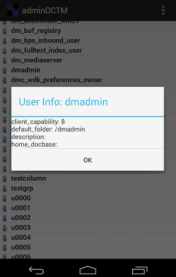
06.png

TODO:

  • Modify user properties
  • Show/update document properties


Android app using REST services

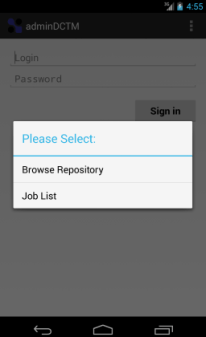
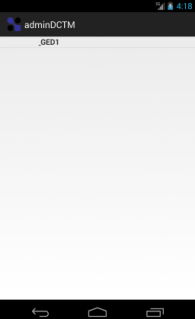
I’ve been learning Android development by developing an App using DCTM Rest services to expose as much functionality as possible from DA. Currently I have a working repository browser and job list/details app, that works via VPN (enabled in the phone by a 3rd app). This is just an example of what can be done with the Rest API released by EMC:

  • Login window:

001.png

  • Browser / Job choice:

002.png

  • Browser (Repository/cabinets/folders):

003.png004.png005.png

  • Open file:

006.png

  • Job list:

007.png

  • Job detail:

008.png

  • TODO:
    • Format Job details window
    • Use sqlite to store preferences/connection url
    • Cleanup code
    • Test new features:
      • User management
      • Job execution
      • Additional configurations


2014 predictions

I always wanted to do a year predictions, so here we go with my (most likely wrong) predictions:

  • 2014 will be the year of Big Data and the Cloud. By the end of 2014 everyone will be sure that 2015 will be the year of Big Data and the Cloud.
  • At least one big cloud provider will make the news for some epic fail (interruption of service, data loss, data theft or something similar…) that will seriously hit the credibility of cloud providers (for at least a week)
  • PanfilovAB will found more vulnerabilites in Documentum (if EMC releases a major version of the Documentum family, the number of bugs found increased, as he will check if the old bugs he discovered are still present… and of course those will be there).
  • 2014 will be the year of D2 and xCP 2.x. By the end of 2014 most people will be thinking that D2 is going to be as successful as CenterStage and that xCP2 is as bad as xCP1 but “nicer”
  • EMC will release a mobile app for the community. Only for iOS. Android version “coming soon”.
  • Java will lose market share to .NET/Silverlight/Adobe Flash. Oracle will release either Java 7u680 or Java 25 before the end of the year, breaking every single applet/program made with earlier versions in the way. Hopefully Oracle will also bury Oracle UCM deep in the ground.
  • Apple will release iOS 8, forcing every app to be iOS 8 compliant. They’ll release the iPhone 5 in colors you don’t even know existed.
  • Microsoft will release another SP for windows 8 that will bring back the menu bar/start menu. Windows 9 will be announced with a return to windows 3.1 window’s style as main feature.
  • Real Madrid will won the champions league and Spain will lose the world basketball championship against the USA


EMC Proven Professional Certifications (Documentum) – Update

A few thoughts on the certification framework, once I taken most of the tests:

  • E10-110 (Foundation): New 110 brings D7 stuff and it seems it has a higher correct answer % requirement. It’s harder than the old e20-120, unless you’ve gone through install/migration of the D7 stuff and D2.
  • E20-495 (xCP): I don’t understand why this tests only covers xCP 2 and the 110 covers both xCP 1.5 and 2. One of the thoughest test due to the range of products that are included the stack.
  • E20-465 (Administration): Read the administration guide. Easy even with the D7 stuff included in the last revision
  • E20-405 (DFC): If you’re done some DFC coding and read the DFC development guide (the are questions that are a copy/paste from the guide or viceversa). Could use a little update.
  • E20-455 (WDK): Pretty much the same as DFC test, reading the WDK guide you should be good to go.
  • E20-475 (System Architecture): No documentation available for this test. Read every single manual, have a very clear idea of the goal of each product and take a look to the HW stuff EMC sells (clariion, symmetrix, celerra, etc) if you’re not familiar with it. If you have done some kind of administration work, it will be easier. Having passed this test, I think some questions belong to the Application Architecture test and not to this one. It needs an update (and probably be merged with the 485)
  • E20-485 (Application Architecture): No documentation availble. Pretty much use case scenarios to select the best solution (from the available choices). Similar to 475.

To sum up, 405, 455, 465 can be passed without even studying, 110 and 465 require at least some degree of preparation, and 475-485 are the one that need more reading (and even with that, you’ll probably come across some WTF questions on the test)


Firefox 24 and future versions will block every Java object by default

As stated here: 914690 – In Firefox 24 and following, mark all versions of Java as unsafe every java version is going to be marked as unsafe by default, meaning you’ll have to manually enable/allow every time you use any java object (If you’re on Firefox beta channel you should realized by now that something was “wrong” when using webtop/ucf transfer with the latest versions: You have to manually allow actions like selecting a file to check-in or every UCF operation)

You probably know by now what this means to Webtop… oh God, when I though I couldn’t hate more UCF, now this… Am I the only one that *loves* having to deal with end-users/customers that take for granted that this Java-Browser compatibilities are a “Documentum problem”…

PS: go HTTP transfer mode!


Testing D2 development and REST services

After the summer, I’ve found myself with some spare time between projects that I’ve used to review some EMC products:

  • D2 4.1

Over the years, we’ve developed a webtop based solution that includes several custom developed components like import from external source, TBO’s/SBO’s used to name documents/folders, etc.

So after attending several D2 demos, we decided to do exactly the same with D2 (or at least get as close as possible) as a testing project.

Custom naming/default object creation was the easiest part, as the autonaming and autolink features are functional enough to cover our needs.

Import from external source looked like it was going to be tough, as we couldn’t touch the default import, and the development documentation is… lacking. So after a little investigation thorugh the available documentation and the community, we decided to go with the external widget approach and it was quite easy actually: Take our custom applet from webtop, put it on a jsp and communicate with the D2 import component sending the files… no problem at all

Some other functionality that involved modifying default D2 behavior required to developed plugins, but after reviewing the API and the available examples we decided not even trying because currently is a waste of time trying to figure which method/libs you need.

  • Good: external widgtes are extremely easy to develop, and there is enough documentation to be able to communicate those widgets with D2 without killing yourself in the process.
  • Bad: plugins are useless as there’s no reliable documentation available, and it seems the API could change in future versions, making useless old plugins.

To sum up, I think D2 4.1 is more a beta/unfinished product (which it really is, as EMC is doing everything from scratch to made it compatible with browsers other than IE, and currently is missing features that were on previous versions). I’ve heard that D2 4.2 is a more mature product and that effors have been made regarding development documentation. If EMC wants to “kill” wdk application with D2 and xCP2 they better give us enough tools to do our customizations, as by now we all should realize that the idea of “configure only” is cool, but is far from our daily work…

  • REST Services:

I’ve been developeing different solutions with DFS (extra layers to the services, custom clients both in JAVA and .NET, bulk load applications, etc) since version 6.0. Afterwards I migrated everything that could be done with the CMIS standard to CMIS with Apache Chemistry; so it was clear the next step was trying the new REST services.

Before the summer I started developing an Android application with the REST preview just as a proof of concept (and as a way to learn how android applications work), and it worked quite well. Last week I’ve been updating the application using the REST 7.0 services (finally we have a working query service!!!) and cleaning/improving the android application that has now become an administrator tool that lets you check repository status, browse the repository, open files, check job status, etc.

I hope to keep improving the application and I hope EMC keeps the REST services, as there is way easier to develop with these REST services than using the monstruosity that DFS are. However, if CMIS meets your requirements, I still go that way, as it is a standard…


EMC Proven Professional Certifications (Documentum)

Recently I passed my 4th EMC Certification, and I’m currently preparing other 3 (WDK and both architech tests). At this point I wanted to post some thoughts on the program (even though some of them have alreadey been discussed here -> IIG Certification)

So, should you get certificated? Definitely yes, but probably not for the reasons you expect. If you’ve been working with Documentum long enough, most test are “easy” (as long as you’re familiar with the topics), however, if you really dedicate time to prepare the certification you’ll end up reading every document that covers information on the topics (and that takes time), meaning the fundamentals guide, administration, dfc development guide, wdk development guide, etc. And by reading I mean reading, not quickly passing page after page. This careful read will refresh concepts and features, you’ll propably learn some new things you had overviewed before in the release notes and others you had no idea about… And you’ll get a new certificate that says that you know a little bit about Documentum

And some tips on the tests I’ve taken:

  • E20-120/110 (Foundation): Easy test if you take a look to the fundamentals guide and you’re a little bit familiar with xCP. New 110 brings D7 stuff so it’s going to be harder unless you’ve gone through install/migration
  • E20-495 (xCP): Though test, many products involved. It’s going to be updated in October and it will be only about xCP 2.0. Personally, I don’t understand why this tests only covers xCP 2 and the Foundamentals covers 1.5 and 2.
  • E20-465 (Administration): Read the administration guide. Easy even with the D7 stuff included in the last revision
  • E20-405 (DFC): If you’re done some DFC coding and read the DFC development guide, it’s an easy test, though it needs an update on the topics.

On the tests I haven’t take yet:

  • E20-455 (WDK): Pretty much the same as DFC test.
  • E20-475 (System Architecture) / E20-485 (Application Architecture): Probably the hardest ones. There’s no specific documentation available, questions look outdated, and sometimes it seems you’re doing an storage certification rather than a “documentum architect”, IMHO both test should become one Documentum Architect test.

Good luck!